Back to Projects

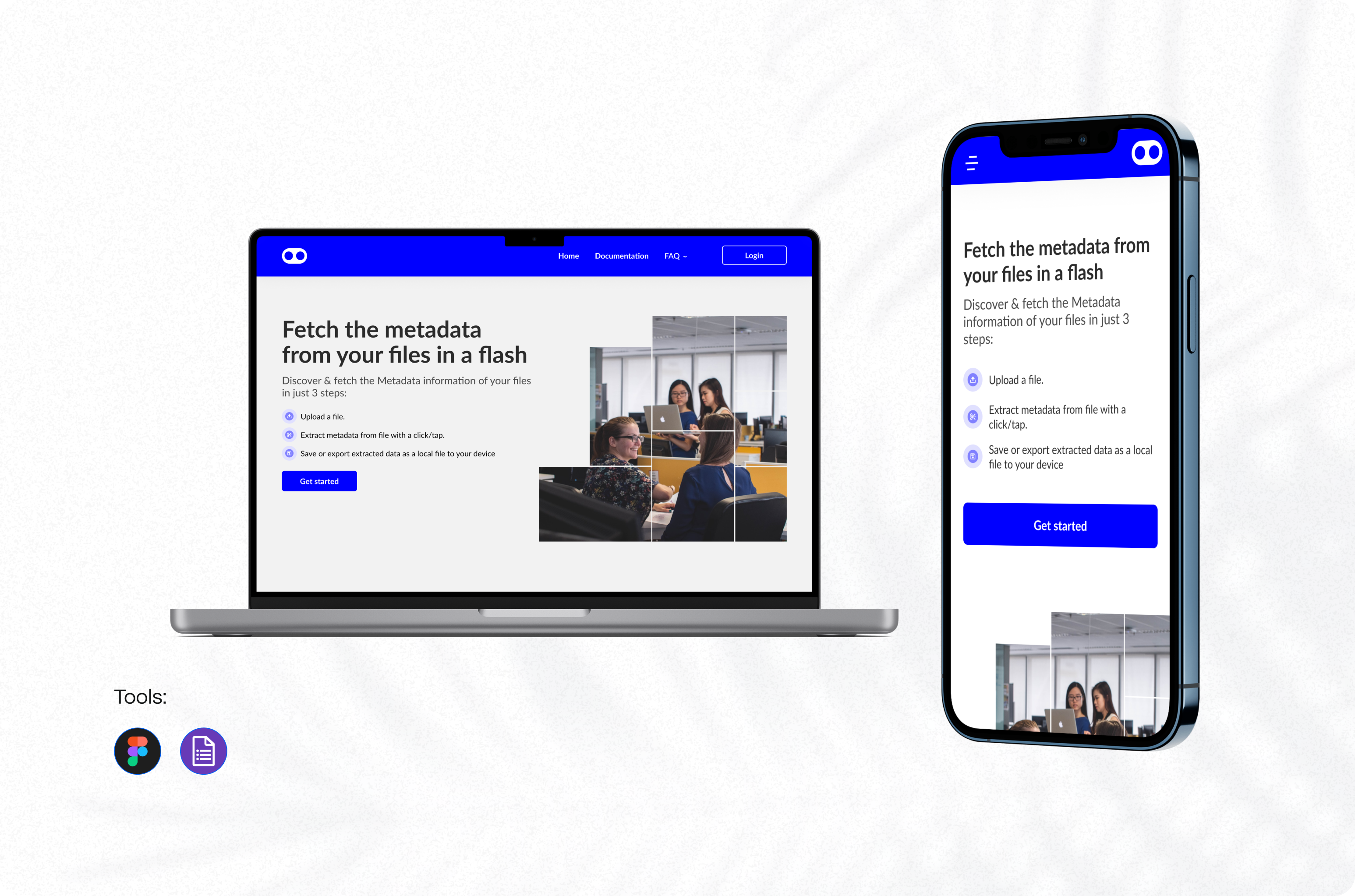
Fetch_Metadata

In an era where data drives decision-making, innovation, and security, the ability to understand and interpret data has become more valuable than ever. Data quality rooted in metadata is essential for ensuring reliability, regulatory compliance, and user trust. Fetch_Metadata is a web-based application built to help users extract, store, share, and revisit metadata from various file types.

Project Overview: This case study outlines the problem space, research approach, design solutions, development scope, impact, and key outcomes of the project.

Platform: Responsive Web Application
Category: Data Management
Fetch_Metadata Application
The Challenge

The Problem Space

Users across industries in particular photographers, security analysts, and data-focused professionals frequently work with files that hold valuable hidden information (metadata). However:

  • Many existing tools are fragmented, complex, or lack storage capabilities.
  • Users often need to revisit metadata, but temporary metadata viewers don't store it.
  • There is no simple way for everyday users to share or download metadata securely.
  • Data misuse is possible without user authentication and accountability.
Understanding the Users

Research Approach

To ensure the solution aligned with real user needs, we followed a structured research process:

User Interviews & Survey

  • 5 Photographers who needed quick access to file details (e.g., EXIF data) for professional documentation.
  • 5 Security personnel who needed accurate file information for cyber investigations.
  • Shared online surveys to general users and 50% wanted a simple way to upload and inspect files.

Key Insights

  • Users wanted metadata instantly, "no extra clicks."
  • File history was important: "I want to revisit files without re-uploading." said most of the general users.
  • Trust and security were major concerns.
  • The interface had to be straightforward and minimalistic.
Research

Competitive Analysis

We reviewed 5 popular metadata extraction tools: ExifTool, Apache Tika, ExifMeta, Snipinsta File Metadata Viewer, WuTools File Metadata Viewer

1

Most do not store files or saved results.

2

Almost none offer user accounts or customization.

3

Limited sharing and download capabilities.

Research Implementation

Design Solutions

Based on research insights, the design focused on simplicity, performance, and security.

Information Architecture

We structured the app around four core user flows:

  • Upload & View Metadata
  • Manage Saved Files
  • Share or Download Metadata
  • Account Management

UI/UX Design Principles

  • Zero-click metadata generation. Automatic extraction after upload.
  • Minimalist interface. Reduces friction and cognitive load.
  • Clear typography and spacing. Improves readability.
  • Visual hierarchy. Highlights file details and metadata first.

Security-Driven Experience

  • Mandatory user accounts to track uploads and reduce misuse.
  • Encrypted storage for uploaded files and metadata.
  • Access controls to ensure ethical use.

Responsive Web Design

Although the application is web-first, screens were designed to be mobile-friendly for accessibility.

Features

Project Scope

1
User Authentication: Create an account and log in securely.
2
File Upload: Supports PDF, TXT, CSV, JSON, JPG, JPEG.
3
Instant Metadata Generation: Automatic extraction upon upload.
4
Account Settings: Edit passwords and manage profiles.
5
File Management: View, save, and re-access previously uploaded files.
6
Metadata Sharing & Downloading: Export metadata for ethical usage.
7
Feedback System: Users can leave app reviews.
Impact

Key Outcome & Impact

Improved User Efficiency

Users accessed metadata 3x faster compared to competitors. Automatic metadata generation eliminated unnecessary user actions.

Increased User Trust & Security

Required logins reduced anonymous misuse. Secure storage increased data safety for sensitive files.

High User Satisfaction

50% of early testers rated the app as easy to use. Photographers appreciated the ability to save and revisit metadata.

Streamlined Workflow for Professionals

Saved files enabled quick retrieval for future tasks. Share/download features supported collaborative workflows.

App Experience

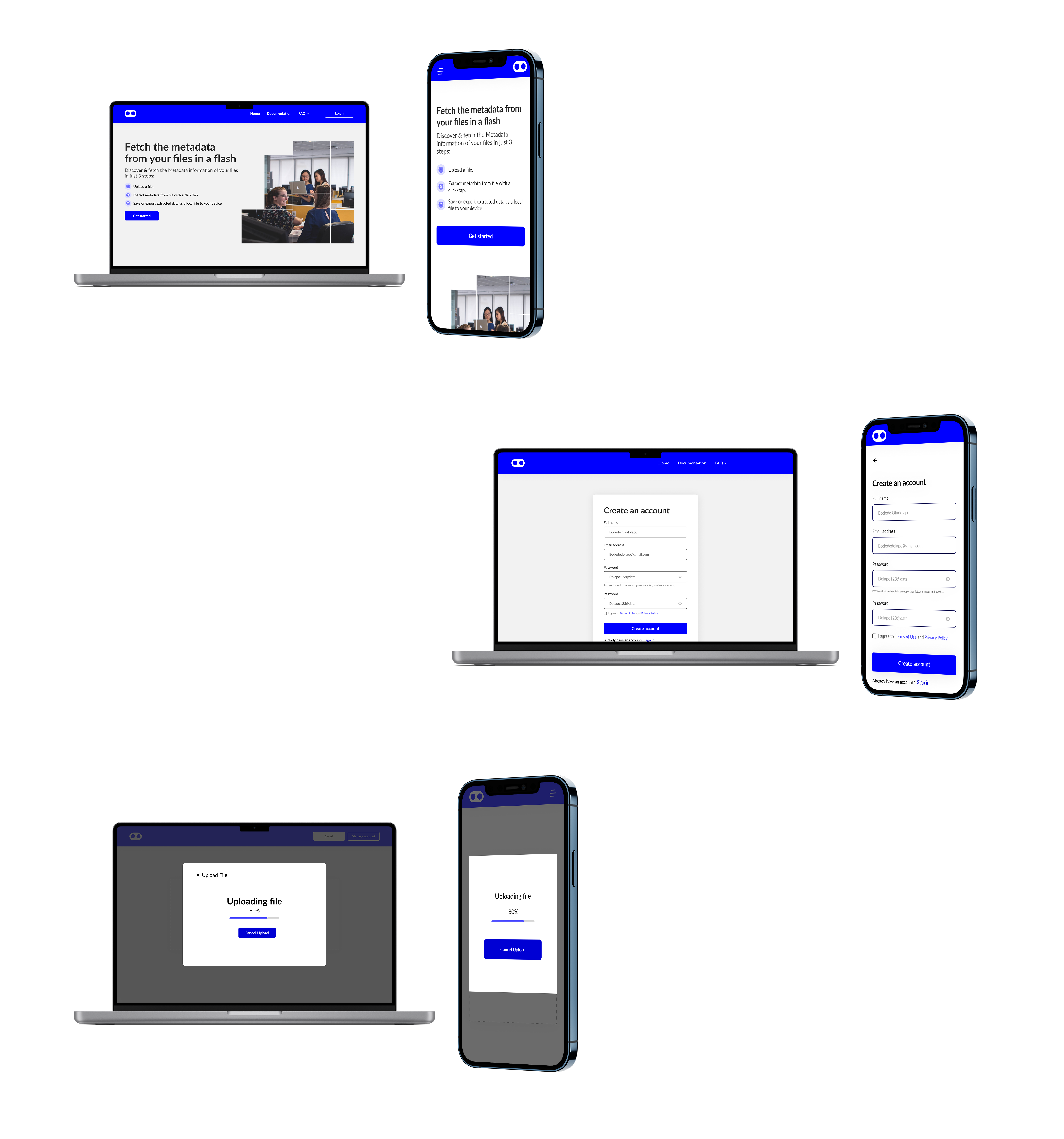
Watch how users interact with the Fetch_Metadata platform

Metadata Web Experience

Web Experience

Mobile Experience

Metadata Mobile Experience

The Future

System Limitations & Future Improvements

Current Limitations

  • Available only as a web application.
  • Metadata cannot be edited inside the system.
  • Limited file type support (PDF, TXT, CSV, JSON, JPG, JPEG).

Future Opportunities

  • Develop a mobile app for iOS/Android.
  • Introduce metadata editing capabilities.
  • Add support for more file types (audio, video, RAW images).
  • Implement metadata visualizations (graphs, timelines, etc.).
  • Add AI-powered metadata predictions or summaries.

User Flow

The user flow for Fetch_Metadata was designed to minimize friction and maximize efficiency. We mapped out the complete journey from initial account creation through metadata extraction, storage, and sharing. The flow prioritizes zero-click metadata generation, ensuring users get instant results upon file upload.

Key user paths include seamless authentication, intuitive file upload with automatic metadata extraction, easy file management with saved history, and secure sharing capabilities. Each flow was validated through user testing to ensure clarity and reduce cognitive load, especially for users with varying levels of technical expertise.
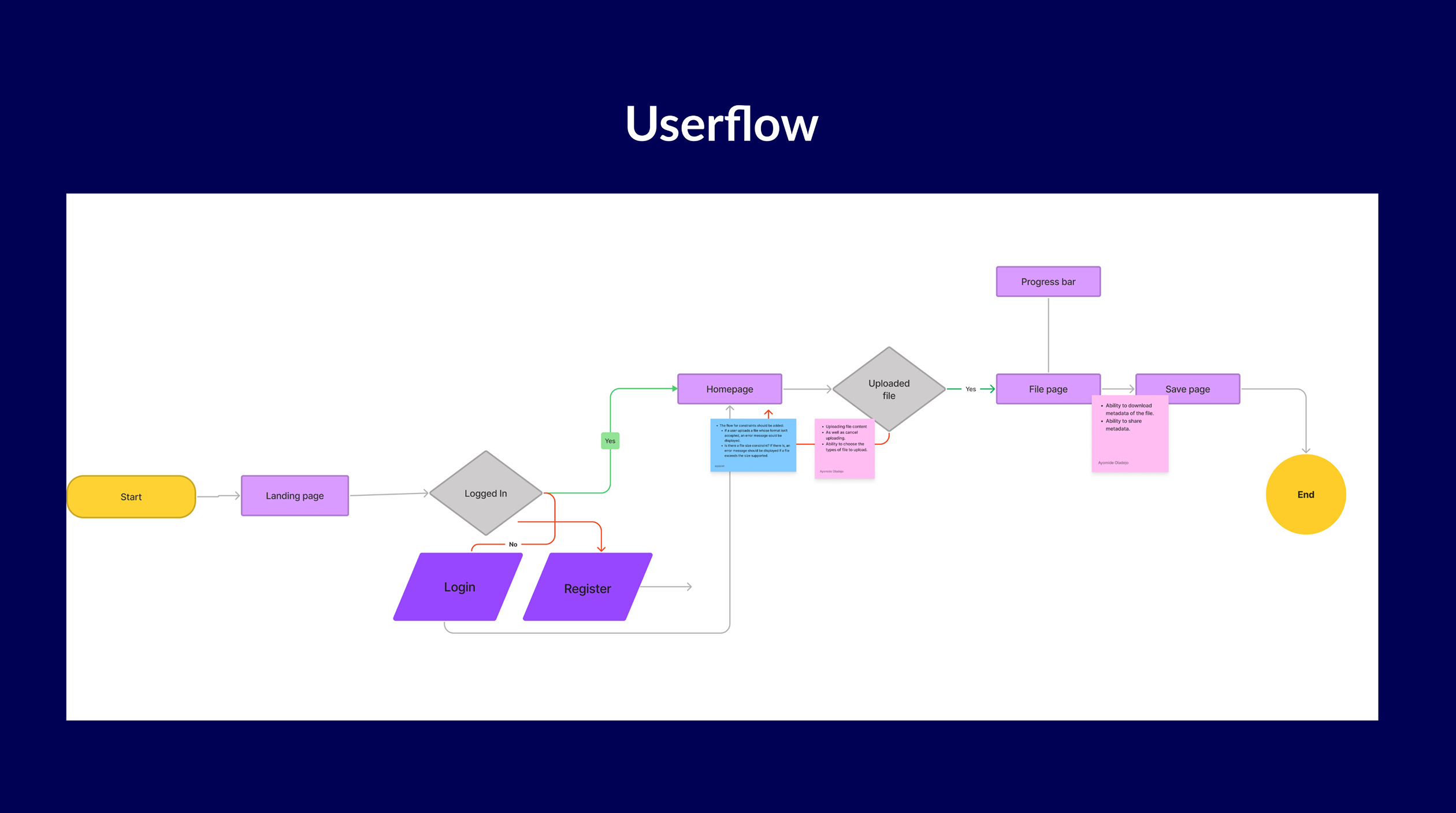
Fetch_Metadata User Flow Diagram
Wireframes

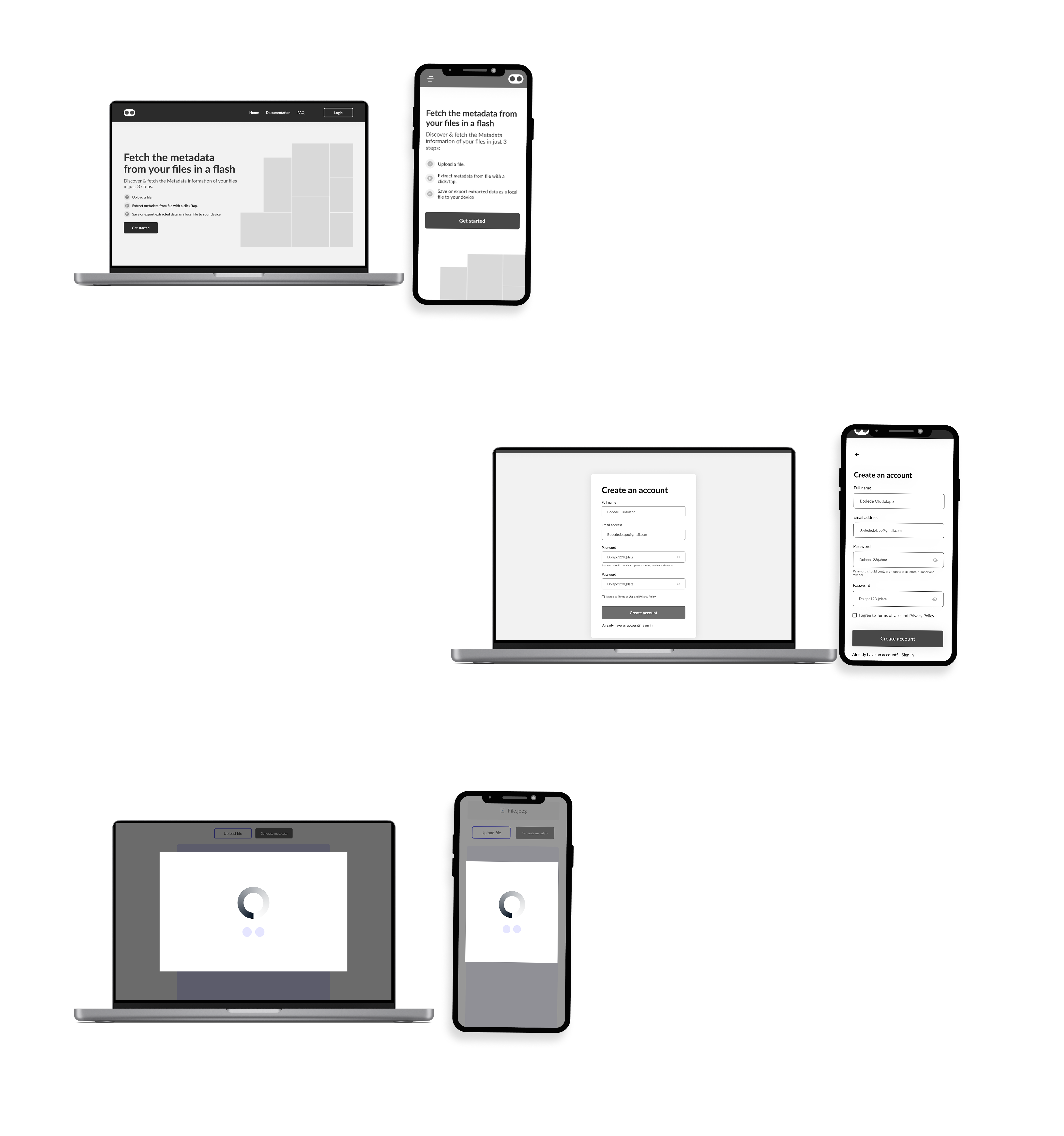
Metadata Lofi

Low-fidelity wireframes exploring initial concepts and information architecture

Prototype

Explore the Design

For convenience, you can explore the prototype by clicking the link below to access the interactions.

View Figma Prototype